
Microsoft 365 outage: What’s happening and what does it mean for your business?

Last updated: 13 November 2026, 9:00am
If you’ve been struggling to access Outlook, send emails or use certain Microsoft 365 services, you’re not alone. A major Microsoft 365 outage has affected organisations around the world, disrupting some of the tools millions of people rely on to get their work done.
Microsoft is working to restore services, but the disruption is an important reminder of just how much businesses depend on cloud technology, and why having a plan for when things go wrong matters.
What’s happening with Microsoft 365?
On 12 November 2026, Microsoft began investigating a major service disruption affecting Exchange Online, which subsequently impacted other Microsoft 365 services.
The issues have affected users across multiple regions, with reports of problems involving:
- Outlook and Exchange Online: Difficulties accessing mailboxes, sending or receiving emails, and potential delays in email delivery.
- Microsoft Teams: Issues with certain features, including calendar integration and meeting scheduling.
- Microsoft 365 Copilot: Problems accessing Copilot Chat and information from connected Microsoft 365 applications.
- Other Microsoft 365 services: Disruption to some features within SharePoint, Planner, Purview and other applications.
Not every service or feature has been affected in the same way. For example, core Teams messaging and meetings have remained largely functional.
Microsoft has identified issues involving affected servers and the processes responsible for handling connections. Recovery work is ongoing, with some improvements reported, although full service restoration has not yet been confirmed.
Microsoft has also stated that it is not aware of malicious activity causing the disruption.
For the latest information, visit Microsoft’s official service status page.
What should you do if you’re affected?
We know how frustrating it can be when the tools you rely on suddenly stop working, particularly when it affects your ability to communicate and get things done.
If your organisation is experiencing issues, here’s what we’d recommend:
- Check the latest service updates. Microsoft’s service health information will help you understand which applications are affected and whether recovery is progressing.
- Keep your teams informed. Make sure employees know what’s happening and have an alternative way to communicate if their usual tools are unavailable.
- Avoid unnecessary troubleshooting. If the issue is affecting Microsoft’s infrastructure, changing settings or reinstalling applications won’t resolve the underlying problem.
- Contact your IT support team. They can help establish whether the issue is part of the wider outage or something specific to your environment.
A reminder to stay alert to scams
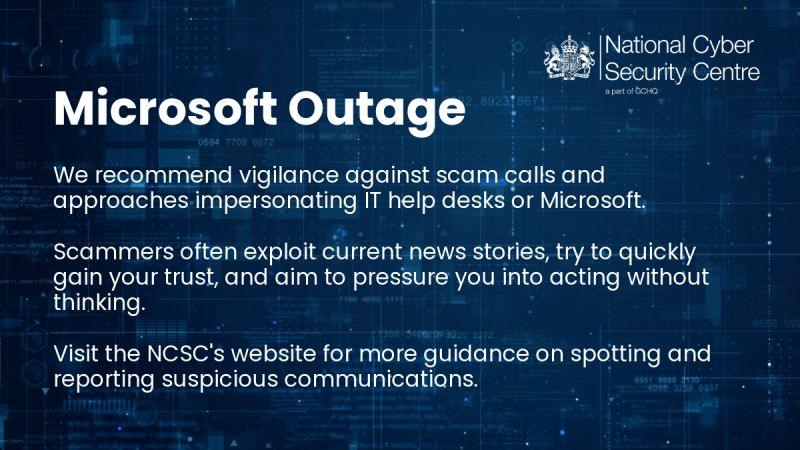
The UK’s National Cyber Security Centre (NCSC) has also issued a warning following the outage, encouraging people to be extra cautious of unexpected calls, emails and messages.
Cyber criminals often take advantage of major incidents like this, impersonating Microsoft or IT support teams and offering to help resolve issues.
If you receive an unexpected message or call claiming to be from Microsoft, take a moment to check it’s genuine. Avoid clicking suspicious links, sharing passwords or providing access to your device.
If you’re unsure, contact your IT support team through your usual trusted channels.
You can find more advice on recognising and reporting suspicious communications on the NCSC website.
How Kascade is supporting customers
We’re actively monitoring Microsoft’s service health updates and assessing the potential impact on our customers’ environments.
Where customers have reported issues, our support team is helping identify whether they’re related to the wider Microsoft disruption and providing updates as more information becomes available.
While Microsoft is responsible for restoring its affected services, our role is to help customers understand what’s happening, minimise unnecessary disruption and make informed decisions.
And beyond incidents like this, we work with businesses to build IT environments that are secure, resilient and ready to support the way they work.
Because good IT support isn’t just about fixing problems. It’s about helping your business prepare for them, too.
Need Microsoft support?
Whether you’re experiencing issues with Microsoft 365 or looking to get more from your Microsoft environment, our team is here to help keep your business running smoothly.
