
I’ve always believed that task management is one of the biggest challenges in modern work. Not because people aren’t organised. But most people have their individual systems. Some use pen and paper. Others rely on flagged emails. Some put tasks everything in their Outlook calendar. Others use Teams messages, sticky notes, OneNote, spreadsheets or simply trust their memory.
The problem is that work doesn’t live in one place anymore. Tasks come from emails, Teams chats, meetings, phone calls, hallway conversations and random moments throughout the day. As a result, things get missed. Actions are forgotten. Follow-ups slip through the cracks.
For years, I’ve been telling people that Microsoft Planner is one of the most underrated applications in Microsoft 365. What I love about Planner is that it brings together tasks from multiple places. Team plans, personal tasks, flagged emails and Teams messages can all sit in one view, giving you a single place to understand what needs your attention. That alone is incredibly valuable.
The Planner Agent is one of several Frontier agents that have recently moved into general availability alongside Copilot Cowork, making these capabilities available to far more organisations. If you’ve not been following Microsoft’s recent Frontier announcements, I’d recommend taking a look at our recent article exploring what has become generally available and what it could mean for businesses.
Whilst Cowork has understandably grabbed many of the headlines, the Planner Agent is one of the features that has caught my attention most. Microsoft has taken an already useful application and added AI capabilities that genuinely solve everyday challenges. In my opinion, this is where things start to get really interesting.
The feature that sold me
The capability that immediately stood out to me was task discovery. Think about how many times someone has sent you an email asking for something, mentioned an action in a Teams chat, or asked you to do something during a meeting. You read it, think “I’ll do that later”, and then it disappears into the chaos of the day. Normally, if you forget to create a task or flag the email, that action can easily be missed.
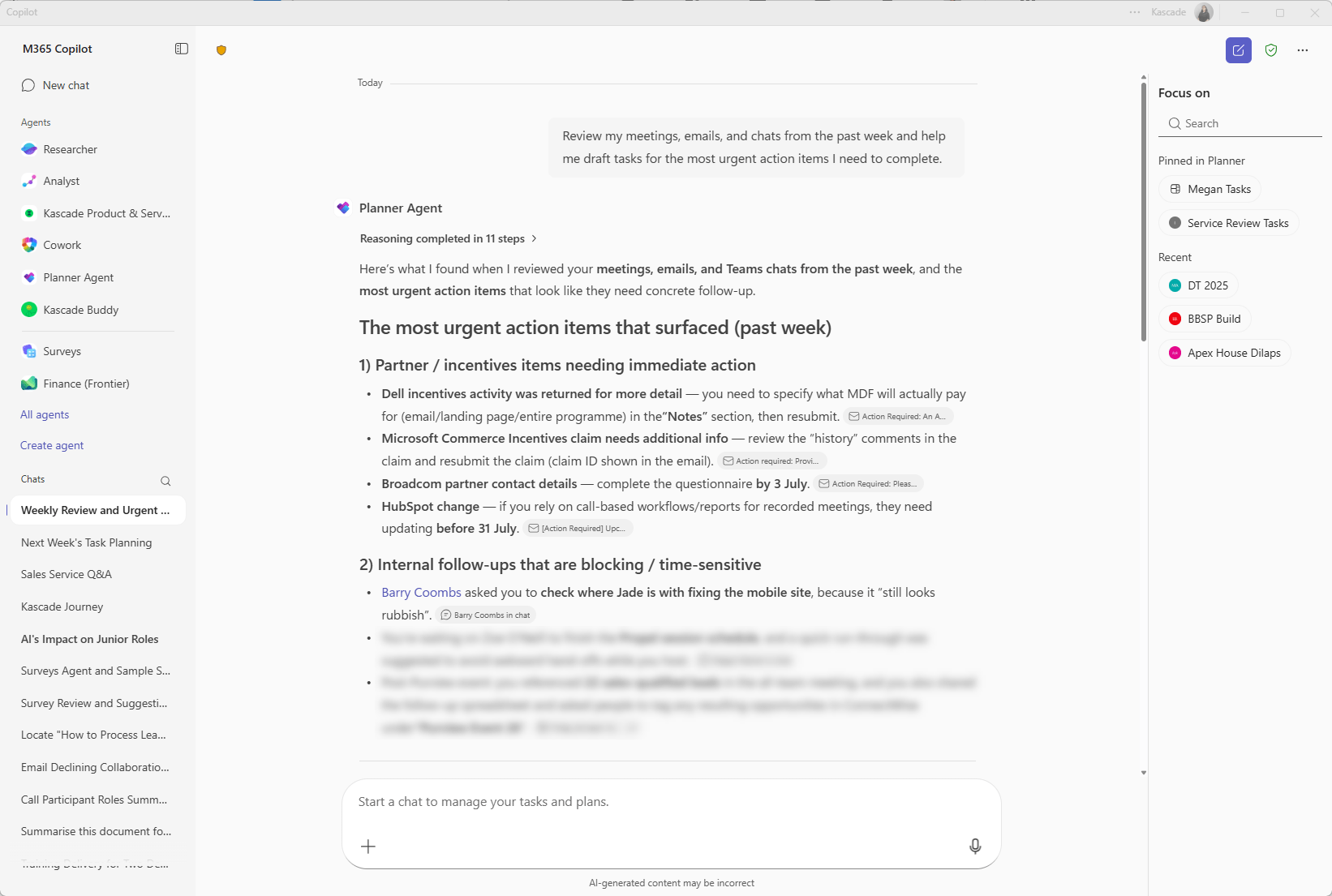
This is where the Planner Agent genuinely adds value. You can ask it to review your recent activity across Teams meetings, chats, emails and identify actions that appear to have been asked of you but don’t already exist in Planner.
What’s even better is that it doesn’t simply create duplicates. If the action already exists in your Planner tasks, the agent recognises that and highlights it as an existing item rather than creating another copy.
The result is a list of potential actions that you can review and add with a couple of clicks.
For me, this is one of those AI use cases that feels genuinely useful rather than just impressive. It’s solving a real problem that affects almost everyone.
Task discovery is just the beginning
As impressive as the task discovery feature is, it’s only scratching the surface of what the Planner Agent can do.
What surprised me most while using it was how quickly it moved from being a simple task management tool to becoming something that genuinely helps with planning, prioritisation and project oversight. Whether you’re trying to organise your own workload, keep a team project on track or build a plan from scratch, there are several capabilities that can save a significant amount of time and effort.
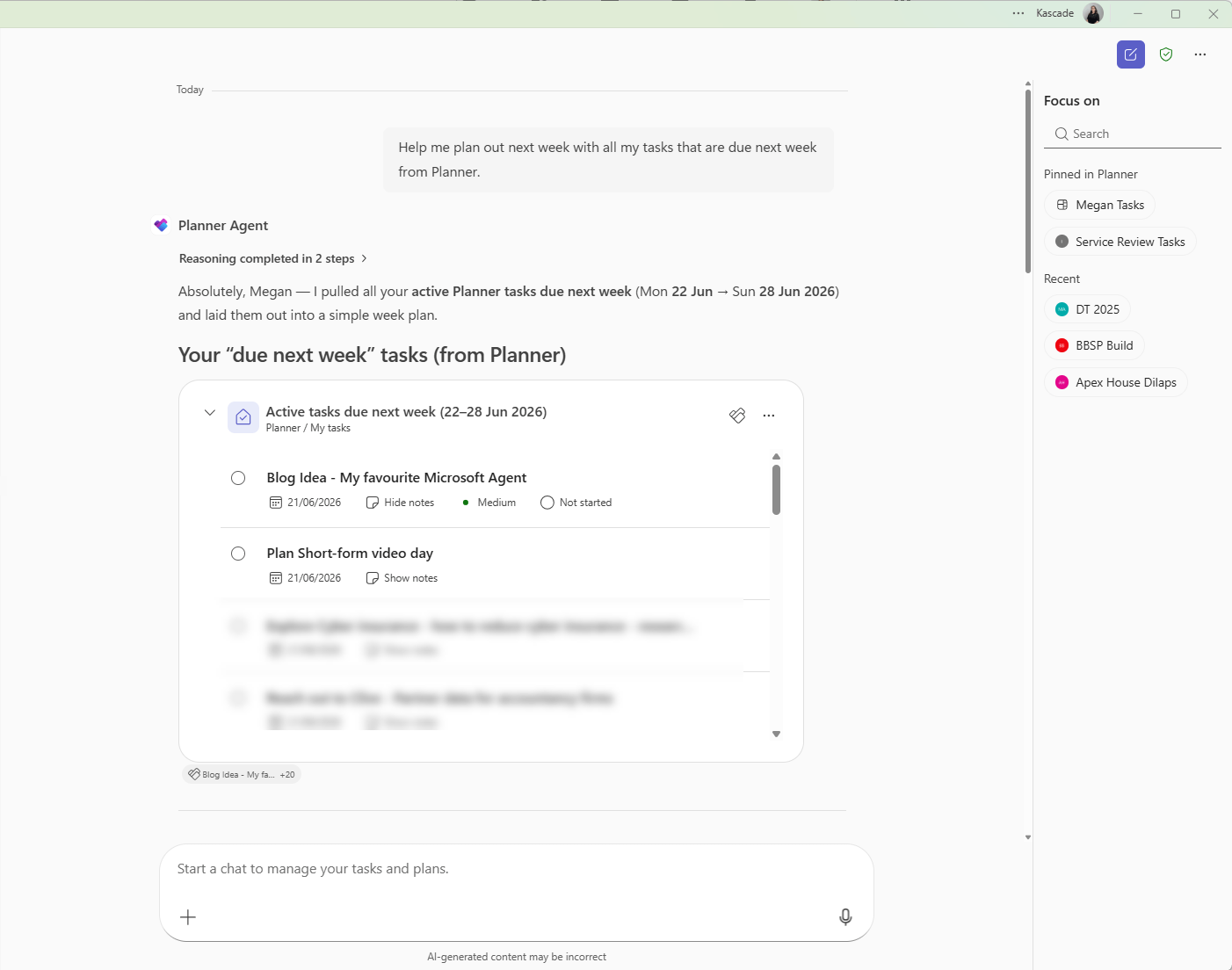
Helping you prioritise your week
Another area where the Planner Agent shines is prioritisation. Most people don’t struggle because they have too little to do. They struggle because they have too much. The challenge isn’t creating a task list. The challenge is understanding what matters most.
The Planner Agent can help you review your workload, identify priorities and highlight tasks that may need attention first. Instead of staring at a list of 50 actions and wondering where to begin, you can use AI to help bring structure to the week ahead.
It’s like having a project coordinator sitting alongside you, helping you decide where to focus your energy.
A surprisingly useful project management tool
I also think organisations are overlooking how valuable this could become for shared team plans. I’m a big advocate of teams using Planner to manage projects.
Whether it’s an office relocation, a marketing campaign, a security improvement programme or a business transformation project, having everyone working from a shared plan creates visibility and accountability.
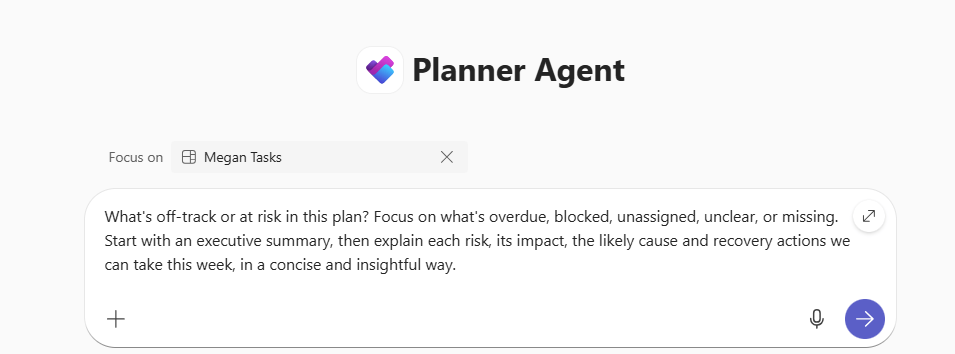
The Planner Agent adds another layer. You can ask it to assess the health of a plan, identify risks, highlight overdue tasks and surface potential issues before your next project meeting.
Instead of spending time manually reviewing dozens of tasks, you can arrive at the meeting already armed with a summary of where attention is needed. That’s a huge time saver.
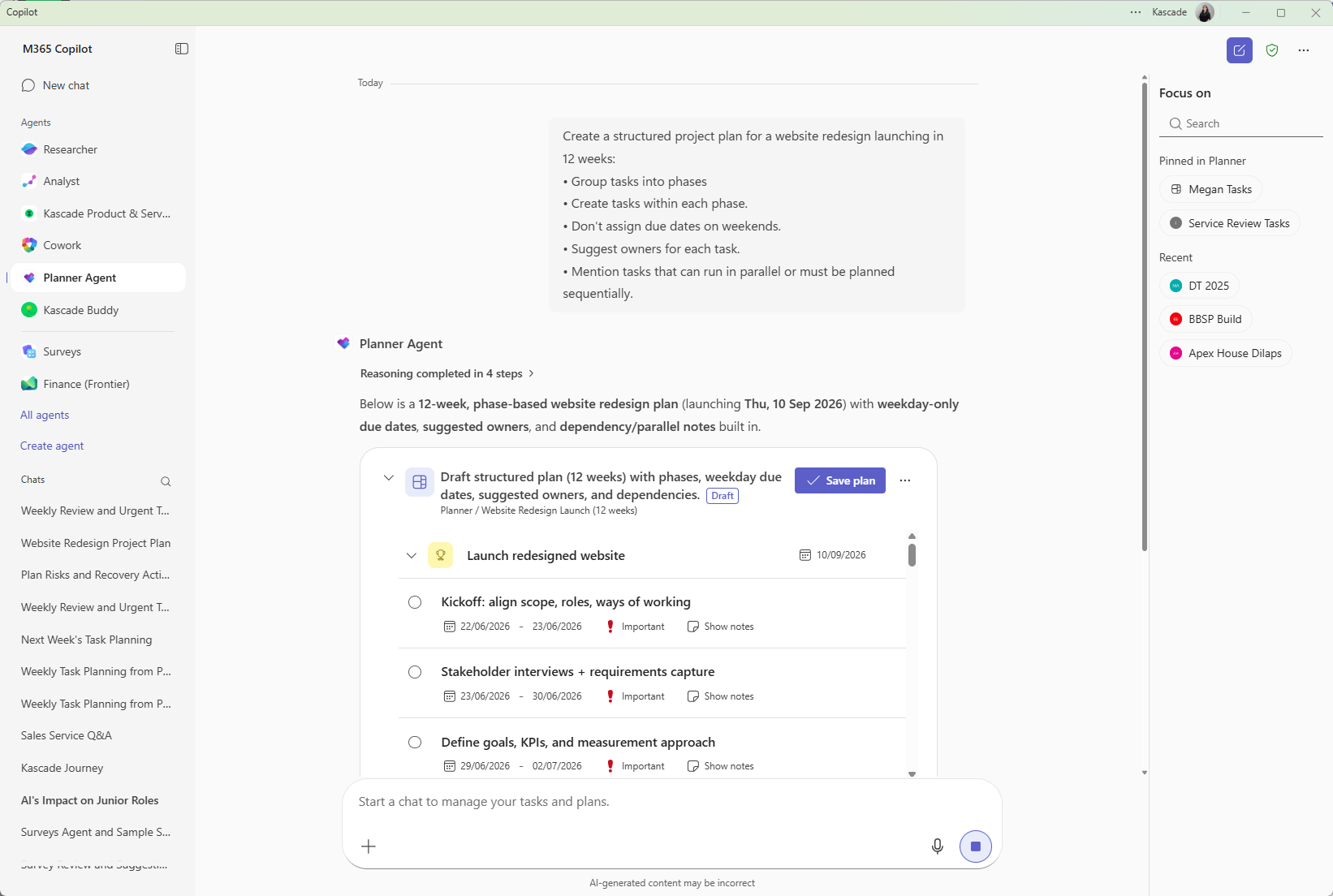
Starting with a blank page is easier than ever
One of the hardest parts of project management is getting started. You know the outcome you want. You know roughly what needs to happen. But building the project plan, creating tasks, assigning priorities and defining timelines takes time.
The Planner Agent can help create an initial project plan from a simple prompt. Tell it what you’re trying to achieve and it can suggest phases, tasks, priorities and due dates to get you moving. Will it create the perfect project plan every time? Of course not. It is just the start and you’ll need to add your own tasks. But it removes much of the heavy lifting and gives you a solid starting point that can be refined and improved.
Taking it one step further with Workflow Agents
What makes this even more interesting is when you combine the Planner Agent with Copilot workflows. Rather than waiting until you remember to check your tasks or review a project plan, you can automate that process.
Imagine starting every Monday morning with a summary of your workload for the week ahead. Or receiving a weekly update on a project plan that highlights overdue tasks, potential risks, upcoming deadlines and areas that may need attention from the team. Instead of manually reviewing plans and task lists, the Planner Agent can do much of that analysis for you and surface the information that matters most.
This is where I think AI starts to move beyond being a tool you interact with and becomes something that proactively helps you stay organised and informed.
For busy managers, project leads and department heads, having an automated weekly review of plans and actions could save hours of administration whilst reducing the chance of important tasks slipping through the cracks.
It’s another example of AI quietly removing friction from the working week, and in my opinion, that’s where the real value lies.
Final thoughts
Planner was already one of my favourite Microsoft 365 applications. It gave people a way to bring together tasks from multiple sources and manage work in a single place.
The Planner Agent builds on that foundation and addresses one of the biggest weaknesses in task management: the fact that humans are busy and things get forgotten. The ability to identify actions you’ve missed, help prioritise your workload, assess project risks and create plans from scratch makes it one of the most practical uses of AI I’ve seen in Microsoft 365 so far.
There are plenty of AI features that are impressive. This is one that is genuinely useful, and for me, that’s what makes it exciting.
Interested in exploring the Planner Agent?
I’ve been a big advocate of Microsoft Planner for years, and the Planner Agent is one of the most useful additions I’ve seen to the platform. If you’re curious about how it could help your teams stay organised, manage projects more effectively and avoid important actions slipping through the cracks, I’d be happy to show you what’s possible and share some of the use cases we’re already seeing.

FAQ’s
- What is the Microsoft Planner Agent? The Microsoft Planner Agent is an AI-powered assistant within Microsoft Planner that can help users manage tasks, identify actions, prioritise work, assess project plans and create new plans from natural language prompts.
- Is the Planner Agent included with Microsoft 365 Copilot? The Planner Agent is a Copilot-powered capability and requires the appropriate Microsoft licensing. Organisations should check Microsoft’s latest licensing guidance to understand what is included within their subscription.
- Can the Planner Agent find tasks I have forgotten? Yes. One of the most useful capabilities is its ability to identify potential actions from sources such as emails and Teams messages that may not already exist in your Planner tasks. Users can then review and add those actions to their task list.
- Will the Planner Agent create duplicate tasks? No. If the Planner Agent identifies an action that already exists within your Planner tasks, it can recognise the existing task and avoid creating unnecessary duplicates.
- Can the Planner Agent help me prioritise my workload? Yes. The Planner Agent can review your tasks and plans, helping you identify priorities, upcoming deadlines and areas that may require attention first.


Leave a Reply